

Wij gebruiken cookies om uw ervaring beter te maken. Om te voldoen aan de cookie wetgeving, vragen we uw toestemming om de cookies te plaatsen. Meer informatie.
 Ga naar de inhoud
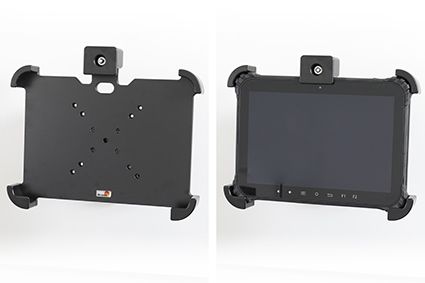
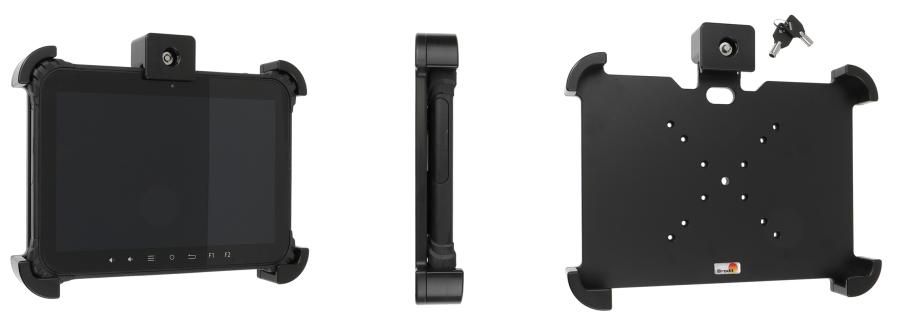
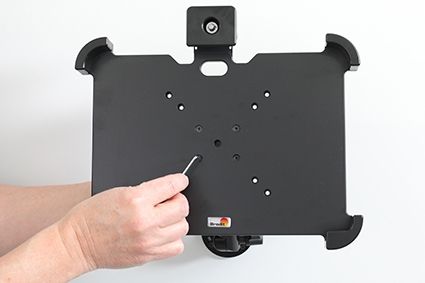
Passive holder. 2 keys included. With AMPS, Vesa 75/100 holes.
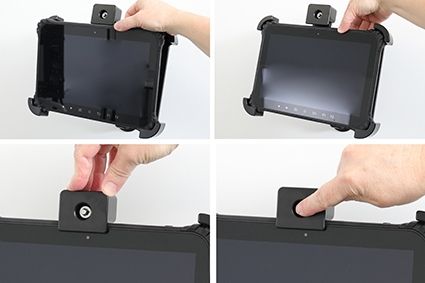
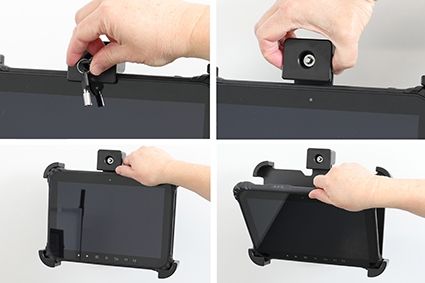
This holder is the perfect choice when you want to have your device securely locked in place and still easy accessible. The holder is made of extra strong plastic and is equipped with a lock. In order to remove the device from the holder you need a key (two keys are included). Attach the holder to any flat surface or a Pedestal Mount in a truck, distribution vehicle, warehouse etc. You have full access to the camera and all buttons and outlets when the device is in the holder. Predrilled AMPS and VESA 75/100 standard holes.
Made in Sweden. Made of high grade ABS and Acetal plastic. Color: Black. Devices should not be installed onto a vehicle's dashboard if blocking the view or key controls. An installation of a device in a vehicle is always done on the customer's own responsibility.
| Accessoiremerk | Brodit |
|---|---|
| Barcode | 7320287392418 |
| Adviesverkoopprijs incl. BTW | € 190,95 |
| Toestel met of zonder hoes | nee |
| Houder Pasvormtype | Toestelspecifiek |
| Kabel / Qi / lader type / connnector | passive |
| Input Voltage | n.v.t. |
| Voltage (output) | n.v.t. |
| Max Amperage | n.v.t. |
| Montage standaard | AMPS, VESA |
| Afsluitbaar | ja met sleutel slot (incl. 2 sleutels) |
| Kleur | zwart |
| Retourneren | Dit product kan geretourneerd worden |